After our last session a number of you emailed me complaining that you weren’t able to figure out how to set up a Doodle poll without being forced to sign up for a premium plan. After looking into this myself, I can confirm that Doodle has in fact made it significantly harder to access their free service. On top of that the site is now littered with so many distracting ads that it’s become impossibly difficult to navigate. I counted 6 ads alone on one page!
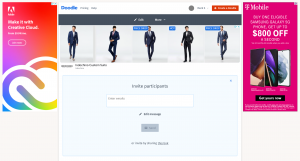
What on earth happened? Doodle used to be the go to site for polling, and now I can hardly tell if I’m looking at a meeting scheduler or a classifieds site. There’s simply no other way to put it – the current version of Doodle is completely, utterly unusable.
With that in mind, I spent an entire afternoon exploring a wide assortment of scheduling tools including Calendly, NeedToMeet, Vyte.in, and WhenAvailable. After hours of testing I was able to narrow down the options to a single solution that checks all the important boxes. It’s called zcal.
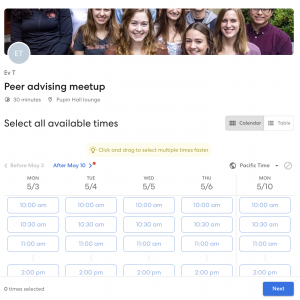
zcal has everything you could ask for in a meeting scheduler. It has a wonderfully simple design that’s both visually appealing and incredibly intuitive, Google calendar integration with your Lionmail account, and lots of cool extras like cover photos and drag and drop selection. And get this, it’s completely free.
Please give it a shot and let me know what you think. It’s far and away the best free version of Doodle poll I’ve found on the web, and is the way I recommend scheduling all your peer advising meetings moving forward.
I’m always on the lookout for new tools to make my life easier. If you come across any interesting apps or have ideas on how we can improve our meetings, please feel free to email me.
References
Updated: March 20, 2021